Grade 12 Study Reference
A complete printable guide to Information Technology for Grade 12 - practical Delphi programming and theory.
Contents — Grade 12
- Practical
- SQL
- SQL - Joining Tables
- OOP
- 2D Arrays
- Recursion
- Theory
- Data Collection & Warehousing
- Relational Databases & Normalisation
- Hardware & Performance
- Cloud Computing, AI, VR & AR
- Internet Technologies
- Networks & Remote Access
- Communication Technologies
- Cybercrime & Safeguards
- Social Implications
- Term Planner
- Grade 12 - By Term
- Exam Resources
- Exam Extras (Out-of-CAPS)
SQL — Structured Query Language Grade 12
SQL (pronounced "S-Q-L" or "sequel") is the language used to communicate with a database. It lets you retrieve, add, update and delete records. In Delphi, SQL is added to a TADOQuery component.
Think of a database as a massive spreadsheet with thousands of rows. SQL is how you ask the database a question: "Give me all students in Grade 12 with a mark above 80, sorted by surname." Without SQL, you would have to scroll through every row manually.
Anatomy of a SQL Statement
Using SQL in Delphi
SQL goes into the SQL property of a TADOQuery component. Always close the query before changing the SQL, then open it again.
// Method 1: assign as one string
qryStudents.Close;
qryStudents.SQL.Text := 'SELECT * FROM tblStudents WHERE Grade = 12';
qryStudents.Open;

// Method 2: build line-by-line (easier to read for long queries)
qryStudents.Close;
qryStudents.SQL.Clear;
qryStudents.SQL.Add('SELECT Name, Surname, Mark');
qryStudents.SQL.Add('FROM tblStudents');
qryStudents.SQL.Add('WHERE Grade = 12');
qryStudents.SQL.Add('ORDER BY Surname ASC');
qryStudents.Open;
SELECT — Choosing What to Display
SELECT * FROM tblCD;                      -- all fields, all records
SELECT CDName, Artist FROM tblCD;          -- only these two fields
SELECT DISTINCT Genre FROM tblCD;          -- each genre shown once only
SELECT TOP 5 * FROM tblCD;               -- first 5 records only
WHERE — Filtering Records
The WHERE clause is how you filter — like asking "show me only the records that match this condition."
WHERE Genre = "Rock"             -- exact match (text in double quotes)
WHERE Price < 100               -- numbers (no quotes)
WHERE Grade <> 11              -- not equal
WHERE Mark >= 50              -- greater than or equal
WHERE Genre = "Pop" AND Price < 100       -- both must be true
WHERE Genre = "Pop" OR Genre = "Rock"     -- either can be true
Operator Precedence in Compound Conditions
When a WHERE clause mixes AND and OR, SQL doesn't just evaluate left to right — it follows a fixed order of precedence, same as in maths:
| Order | Operator(s) |
|---|---|
| 1 (first) | Parentheses ( ) |
| 2 | Multiplication, division |
| 3 | Subtraction, addition |
| 4 | NOT |
| 5 | AND |
| 6 (last) | OR |
AND is evaluated before OR, so a mixed condition may not filter the way you expect unless you add brackets to force the order you want.
WHERE Genre = "Pop" OR Genre = "Rock" AND Price < 100
-- reads as: Genre = "Pop"  OR  (Genre = "Rock" AND Price < 100)
-- ALL Pop CDs are included, regardless of price!

-- To make BOTH genres respect the price limit, use brackets:
WHERE (Genre = "Pop" OR Genre = "Rock") AND Price < 100You don't have to memorise the precedence table if you always wrap OR conditions in brackets when combining them with AND. Brackets make your intention explicit and remove any ambiguity — for the reader and for the database.
Special WHERE Operators
| Operator | Meaning | Example |
|---|---|---|
LIKE | Pattern match. % = any chars, _ = one char | WHERE Name LIKE "S%" — starts with S |
IN | Match any value in a list | WHERE Genre IN ("Rock","Pop","Jazz") |
BETWEEN | Within a range (inclusive for numbers) | WHERE Price BETWEEN 50 AND 150 |
IS NULL | Field is empty/blank | WHERE CellNo IS NULL |
IS NOT NULL | Field has a value | WHERE CellNo IS NOT NULL |
#date# | Date values use # symbols | WHERE OrderDate = #2024-05-01# |
Access SQL can misinterpret a date written as dd/mm/yyyy, reading it as month/day/year instead. Writing the year first removes the ambiguity: prefer #2024/05/01# (yyyy/mm/dd) over #01/05/2024#.
WHERE CDName LIKE "S%"        -- starts with S
WHERE CDName LIKE "%love%"    -- contains the word "love"
WHERE CDName LIKE "%s"        -- ends with s
WHERE Code   LIKE "A__"       -- starts with A followed by exactly 2 chars
ORDER BY — Sorting Results
SELECT * FROM tblCD ORDER BY Artist;             -- ascending (default)
SELECT * FROM tblCD ORDER BY Price DESC;        -- most expensive first
SELECT * FROM tblCD ORDER BY Genre, CDName ASC; -- sort by genre, then name
Calculated Fields & Aliases
You can do maths inside a SELECT and give the result a name using AS.
SELECT Name, Price, Price * 1.15 AS PriceWithVAT FROM tblProducts;
SELECT Name, Mark, ROUND(Mark / 2, 0) AS HalfMark FROM tblStudents;
Aggregate Functions — Calculating Summaries
| Function | What it calculates | Example |
|---|---|---|
COUNT(*) | Number of records | SELECT COUNT(*) FROM tblStudents |
SUM(field) | Total of numeric field | SELECT SUM(Mark) FROM tblResults |
AVG(field) | Average of numeric field | SELECT AVG(Mark) FROM tblResults |
MIN(field) | Lowest value | SELECT MIN(Price) FROM tblProducts |
MAX(field) | Highest value | SELECT MAX(Price) FROM tblProducts |
-- Count students per grade
SELECT Grade, COUNT(*) AS Total
FROM tblStudents
GROUP BY Grade;

-- Only show groups with more than 10 students
SELECT Grade, COUNT(*) AS Total
FROM tblStudents
GROUP BY Grade
HAVING COUNT(*) > 10;
WHERE filters individual records before grouping. HAVING filters groups after GROUP BY. If you have both, WHERE runs first.
SQL String & Math Functions
| Function | Returns | Example |
|---|---|---|
LEN(field) | Character count | SELECT LEN(Name) FROM tblStudents |
LEFT(field, n) | First n characters | LEFT(Surname, 3) → first 3 letters |
RIGHT(field, n) | Last n characters | RIGHT(IDNo, 4) |
MID(field, start, n) | Substring from position | MID(IDNo, 3, 2) → month of birth (position 1–2 is the year) |
ROUND(field, dec) | Rounded value | ROUND(Avg, 2) → 2 decimal places |
INT(field) | Integer part (no decimal) | INT(75.8) = 75 |
FORMAT(field, "0.00") | Formatted string | FORMAT(Price, "R0.00") |
Date Functions
SELECT Name, YEAR(BirthDate) AS BirthYear FROM tblStudents;
SELECT * FROM tblOrders WHERE MONTH(OrderDate) = 12;     -- December orders
SELECT * FROM tblStudents WHERE YEAR(BirthDate) = 2008;
INSERT, UPDATE, DELETE
-- Add a new record
INSERT INTO tblStudents (Name, Surname, Grade)
VALUES ("Alice", "Smith", 12);

-- Change existing data
UPDATE tblStudents
SET Grade = 12
WHERE StudentID = 45;

-- Remove a record
DELETE FROM tblStudents
WHERE StudentID = 45;Without a WHERE clause, UPDATE changes every record and DELETE removes every record in the table. Always double-check your condition.
Building an INSERT String with QuotedStr
Instead of a parameterised query, you will sometimes build the whole SQL statement as one string by joining Delphi variables onto it directly. Text values need quotes around them in the final SQL string — the QuotedStr function wraps a string value in quotes for you, so you don't have to type them by hand.
qryStudents.Close;
qryStudents.SQL.Text := 'INSERT INTO tblStudents (Name, Surname) VALUES (' +
  QuotedStr(edtName.Text) + ', ' + QuotedStr(edtSurname.Text) + ')';
qryStudents.ExecSQL;   // use ExecSQL (not Open) for INSERT/UPDATE/DELETE — they don't return records
QuotedStr is a quick way to build a query from a string variable, but a parameterised query (below) is the safer, preferred technique — it avoids manually matching quotes and is more resistant to SQL injection.
Parameterised Queries
Instead of hardcoding a value, use a parameter that is filled in by the user at runtime.
qryStudents.Close;
qryStudents.SQL.Clear;
qryStudents.SQL.Add('SELECT * FROM tblStudents');
qryStudents.SQL.Add('WHERE Grade = :pGrade');   // :pGrade is the parameter
qryStudents.Parameters.ParamByName('pGrade').Value := sedGrade.Value;
qryStudents.Open;
SQL in Delphi — Reading Field Values
// Read a field value from the current record
sName   := qryStudents['Name'];
iGrade  := qryStudents['Grade'];
rMark   := qryStudents['Average'];

// Loop through all records
qryStudents.First;
while not qryStudents.Eof do
begin
  memOut.Lines.Add(qryStudents['Name'] + ' ' + qryStudents['Surname']);
  qryStudents.Next;
end;
Worked Example — A Search Screen
A classic Paper 1 task: the user types (part of) a surname into edtSearch and clicks a button. The program must build a parameterised query from that input, run it, list every match in memOut, and report how many were found. This combines user input, SQL, looping a dataset and string output.
procedure TfrmMain.btnSearchClick(Sender: TObject);
var
  iFound : integer;
begin
  memOut.Clear;
  iFound := 0;

  // 1. Build a parameterised query from the user's input
  qryStudents.Close;
  qryStudents.SQL.Clear;
  qryStudents.SQL.Add('SELECT Name, Surname, Grade, Average');
  qryStudents.SQL.Add('FROM tblStudents');
  qryStudents.SQL.Add('WHERE Surname LIKE :pName');
  qryStudents.SQL.Add('ORDER BY Surname ASC');
  // add a wildcard so 'coe' matches 'Coetzee'
  qryStudents.Parameters.ParamByName('pName').Value := edtSearch.Text + '%';
  qryStudents.Open;

  // 2. Loop through the result set and display each record
  qryStudents.First;
  while not qryStudents.Eof do
  begin
    memOut.Lines.Add(qryStudents['Name'] + ' ' + qryStudents['Surname']
                     + '  (Gr ' + IntToStr(qryStudents['Grade'])
                     + ', ' + FloatToStrF(qryStudents['Average'], ffFixed, 4, 1) + '%)');
    Inc(iFound);
    qryStudents.Next;
  end;

  // 3. Report how many were found
  if iFound = 0 then
    ShowMessage('No learner found starting with "' + edtSearch.Text + '".')
  else
    lblCount.Caption := IntToStr(iFound) + ' learner(s) found';
end;Using :pName and ParamByName is safer and cleaner than gluing the user's text straight into the SQL string — it avoids quote/type errors and blocks SQL injection (see Cybercrime). The wildcard '%' is added to the value, so a partial surname still matches.
SQL — Joining Tables Grade 12
In SA IT CAPS, joining two tables is done using the WHERE clause method — listing both tables in FROM and linking them with a matching condition in WHERE. This is the only join method required for CAPS.
The official SA IT CAPS specifies the WHERE method for single joins. The CAPS document states: “Create a join query (single joins) using WHERE”. Do NOT use the INNER JOIN keyword in exams.
Why Join Tables?
A relational database splits related data across tables. For example, a student record stores a ClassID but the class name lives in a separate table. To display both together, you join the tables.
Syntax
SELECT TableA.Field1, TableB.Field2
FROM TableA, TableB
WHERE TableA.KeyField = TableB.KeyField;
Both tables appear in FROM, separated by a comma. The WHERE clause links the tables on their shared key field.
Examples
Example 1 — Students with their class names
SELECT tblStudents.Name, tblStudents.Surname, tblClasses.ClassName
FROM tblStudents, tblClasses
WHERE tblStudents.ClassID = tblClasses.ClassID;
Example 2 — With extra filtering and sorting
SELECT tblStudents.Name, tblStudents.Surname, tblClasses.ClassName
FROM tblStudents, tblClasses
WHERE tblStudents.ClassID = tblClasses.ClassID
AND tblStudents.Grade = 12
ORDER BY tblStudents.Surname ASC;Use AND after the join condition to filter results further. The join condition always comes first in WHERE.
Example 3 — Join with GROUP BY and COUNT
SELECT tblClasses.ClassName, COUNT(tblStudents.StudentID) AS Total
FROM tblStudents, tblClasses
WHERE tblStudents.ClassID = tblClasses.ClassID
GROUP BY tblClasses.ClassName
ORDER BY Total DESC;
Example 4 — Using LIKE with a join
SELECT tblBooks.Title, tblAuthors.AuthorName, tblBooks.Price
FROM tblBooks, tblAuthors
WHERE tblBooks.AuthorID = tblAuthors.AuthorID
AND tblBooks.Title LIKE "IT%"
ORDER BY tblBooks.Price DESC;
Using a Join in Delphi (TADOQuery)
qryData.Close;
qryData.SQL.Clear;
qryData.SQL.Add('SELECT tblStudents.Name, tblStudents.Surname, tblClasses.ClassName');
qryData.SQL.Add('FROM tblStudents, tblClasses');
qryData.SQL.Add('WHERE tblStudents.ClassID = tblClasses.ClassID');
qryData.SQL.Add('AND tblStudents.Grade = 12');
qryData.Open;
Cartesian Product Warning
If you list two tables in FROM but omit the WHERE link condition, SQL returns every possible combination of rows (a Cartesian product). For two tables with 100 rows each, this produces 10,000 rows — all incorrect. Always include WHERE TableA.Key = TableB.Key.
Common Mistakes
| Mistake | Effect | Fix |
|---|---|---|
| Missing join condition in WHERE | Cartesian product (massive wrong result) | Always link: WHERE tblA.Key = tblB.Key |
Ambiguous field name (e.g. just Name when both tables have it) | SQL error | Always prefix: tblStudents.Name |
Not calling qryData.Close before changing SQL | Runtime error | Always close first |
Object-Oriented Programming (OOP) Grade 12
OOP lets you model real-world things as objects in code. Think of a class as a blueprint (like architectural plans for a house) and an object as the actual building made from that plan. One blueprint, many buildings — one class, many objects.
Every part of OOP maps neatly onto a taxi:
- Class = the design of a taxi — the plans that say what every taxi has and can do. There is only one design.
- Object (instance) = one actual taxi on the road, e.g. the one with registration CA 123‑456. From the one design you can build many taxis.
- Attributes = what a taxi has: make, registration, colour, number of seats, fuel level, current speed.
- Methods = what a taxi does:
StartEngine,Drive,Stop,PickUp,DropOff,Hoot. - Constructor (Create) = building a brand-new taxi at the factory and giving it its starting details (make, registration).
- Encapsulation = you drive with the steering wheel and pedals (public methods); you never reach into the engine (private attributes). The engine is hidden under the bonnet — and that keeps it safe.
- Accessor (getter) = the fuel gauge lets you read the fuel level without touching the tank. Mutator (setter) = filling up at the petrol station changes the fuel level in a controlled way.
- Inheritance = a taxi is‑a vehicle: it inherits "drive" and "stop" from a general
TVehicle, then adds its own meter and passenger seats. - Polymorphism = tell any vehicle to
Hootand each does it its own way — a sedan taxi beeps, a minibus blares.
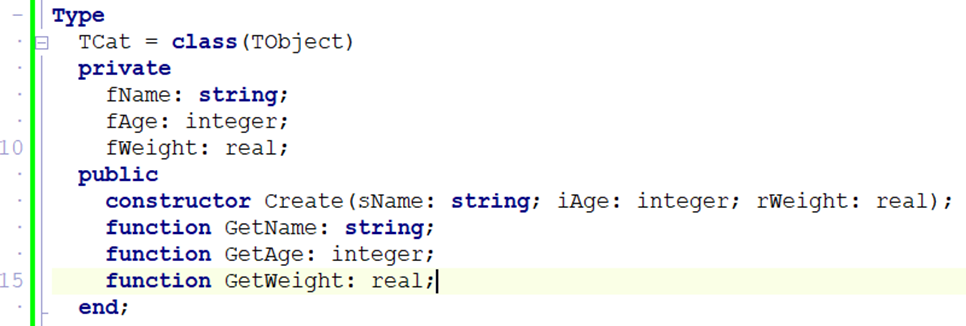
Core OOP Concepts
| Term | Definition |
|---|---|
| Class | A blueprint or template that describes what an object looks like and can do |
| Object | A specific instance of a class (like one particular cat — Whiskers) |
| Attribute | A variable that stores data about the object (e.g. fName, fAge) |
| Method | A procedure or function that belongs to the class (e.g. GetName, SetAge) |
| Constructor | Special method Create that creates an instance and sets initial values |
| Encapsulation | Hiding private data inside a class; only accessible through public methods |
| Inheritance | A new class inherits all attributes and methods of an existing (parent) class |
| Polymorphism | The same method name behaves differently in different classes |
In Delphi, every component is an object. TButton is a class; btnOK is an object. TForm is a class; Form1 is an object. OOP lets you create your own custom classes.
One Class, Many Objects
A class is defined once. You can create as many objects (instances) from it as you need — each with its own data.
UML Class Diagram
Before coding a class, design it using a UML (Unified Modeling Language) diagram — a rectangle divided into 3 sections.
Encapsulation
Keep attributes private — hidden from the outside world. Only expose them through controlled public methods (getters and setters). This protects data from accidental or invalid changes.
private
  fName: string;         // hidden from outside — direct access blocked
public
  procedure SetName(s: string);  // controlled write access (can include validation)
  function  GetName: string;     // controlled read access
Inheritance
A child class inherits all attributes and methods from a parent class, and can add or override its own. This avoids repeating code.
type
  TAnimal = class
    procedure Speak; virtual;  // can be overridden in child classes
  end;

  TDog = class(TAnimal)       // inherits everything from TAnimal
    procedure Speak; override;  // replaces TAnimal.Speak
  end;

  TCat = class(TAnimal)
    procedure Speak; override;
  end;
Polymorphism
The same method name (Speak) behaves differently depending on the type of object. "Many forms" — poly = many, morph = form.
| Object | Method Called | Result |
|---|---|---|
objAnimal.Speak | TAnimal.Speak | 'Animal sound...' |
objDog.Speak | TDog.Speak (overridden) | 'Woof!' |
objCat.Speak | TCat.Speak (overridden) | 'Meow!' |
procedure TAnimal.Speak;
begin
  ShowMessage('Animal sound...');
end;

procedure TDog.Speak;
begin
  ShowMessage('Woof!');
end;

procedure TCat.Speak;
begin
  ShowMessage('Meow!');
end;
Types of Methods
| Method Type | Keyword | Description |
|---|---|---|
| Constructor | constructor | Creates the object and sets initial attribute values. Called on the class name: TCat.Create(...) |
| Accessor (getter) | function | Returns the value of a private attribute. Read-only access. |
| Mutator (setter) | procedure | Updates the value of a private attribute. Can include validation. |
| ToString | function | Returns a string representation of the object's state — used for display. |
| Auxiliary | private | Internal helper methods used by other methods, not accessible from outside. |
An auxiliary method is a private helper that does one small job for an accessor or mutator, so that method doesn't get cluttered with extra logic. It takes the data it's given, processes it, and returns the result — it never changes the object's attributes itself. Using auxiliary methods reduces complexity inside a class and keeps each method focused on a single task.
private
  function FormatWeight(rWeight: real): string;  // auxiliary — helper only, not called from outside the class
public
  function ToString: string;

// ...
function TCat.FormatWeight(rWeight: real): string;
begin
  Result := FloatToStrF(rWeight, ffFixed, 4, 1) + 'kg';  // just formats — doesn't change fWeight
end;

function TCat.ToString: string;
begin
  Result := fName + ', ' + FormatWeight(fWeight);  // ToString calls the auxiliary method
end;
Common Exam Traps
A function returns a value and can be used inside an expression. A procedure performs an action and returns nothing. If the question says a routine "displays" something on screen, that's a procedure — displaying is not the same as returning.
A value parameter passes a copy — changes made to it disappear when the routine ends. A reference parameter (var in Delphi) passes the actual variable — changes persist in the calling code. Whenever a question says a routine must change two values and return them to the caller, you need reference parameters.
A syntax error breaks the rules of the language and won't compile. A logic error compiles and runs, but produces the wrong answer — the compiler can never find this one for you, which is exactly why trace tables exist. A runtime error crashes the program while it's running, e.g. division by zero or an array index out of bounds.
How to Create a Class in Delphi
- Go to File → New → Unit – Delphi to create a new blank unit.
- Save it in the same folder as your project (e.g.
UCar.pas). - Type the class structure in the
interfacesection (see template below). - Press Ctrl+Shift+C — Delphi auto-generates the method bodies in the
implementationsection. - Fill in the code inside each method body.
- In your main form unit, add the unit name to the
usesclause (e.g.uses ..., UCar;).
After writing the class declaration in the interface section, press Ctrl+Shift+C and Delphi automatically creates all the empty method implementations in the implementation section. You just fill in the code.
Complete Class Example — TCat
unit UCat;

interface

type
  TCat = class
  private
    fName   : string;
    fAge    : integer;
    fWeight : real;
  public
    constructor Create(sName: string; iAge: integer; rWeight: real);
    function    GetName   : string;
    function    GetAge    : integer;
    function    GetWeight : real;
    procedure   SetName(sNew: string);
    function    ToString  : string;
  end;

implementation

constructor TCat.Create(sName: string; iAge: integer; rWeight: real);
begin
  fName   := sName;
  fAge    := iAge;
  fWeight := rWeight;
end;

function TCat.GetName : string;
begin
  Result := fName;
end;

function TCat.GetAge : integer;
begin
  Result := fAge;
end;

function TCat.GetWeight : real;
begin
  Result := fWeight;
end;

procedure TCat.SetName(sNew: string);
begin
  fName := sNew;
end;

function TCat.ToString : string;
begin
  Result := fName + ', Age: ' + IntToStr(fAge)
          + ', Weight: ' + FloatToStr(fWeight) + 'kg';
end;

end.
Parameterised vs Non-Parameterised Constructors
A class can have more than one constructor. The one shown above — Create(sName: string; iAge: integer; rWeight: real) — is a parameterised constructor: it takes arguments and uses them to set the object's attributes immediately, at the moment the object is created.
A class can also have a non-parameterised constructor — just Create with no arguments — which creates the object with default/empty values instead, to be filled in later using the mutator methods:
constructor TCat.Create;
begin
  fName   := '';
  fAge    := 0;
  fWeight := 0;
end;
Parameterised Create(...) | Non-parameterised Create | |
|---|---|---|
| Values set | Immediately, from the arguments passed in | Default/empty — must be set afterwards |
| When you'd use it | You already know the object's details when creating it | You'll fill in the details later, or the user will type them in afterwards |
"Distinguish between the parameterised and non-parameterised constructor" wants exactly this — one sets real values straight away from arguments, the other creates an empty object with default values that gets filled in later.
Practice Example — TCar Class
This is the kind of class you will write in a Grade 12 exam. Study the pattern carefully — constructor, accessors, mutator, ToString.
unit UCar;

interface

type
  TCar = class
  private
    fMake  : string;    // e.g. 'Toyota'
    fYear  : integer;   // e.g. 2022
  public
    constructor Create(sMake: string; iYear: integer);
    function    GetMake  : string;
    function    GetYear  : integer;
    procedure   SetMake(sNewMake: string);
    function    ToString : string;
  end;

implementation

constructor TCar.Create(sMake: string; iYear: integer);
begin
  fMake := sMake;
  fYear := iYear;
end;

function TCar.GetMake : string;
begin
  Result := fMake;
end;

function TCar.GetYear : integer;
begin
  Result := fYear;
end;

procedure TCar.SetMake(sNewMake: string);
begin
  fMake := sNewMake;    // could add validation here (e.g. check not empty)
end;

function TCar.ToString : string;
begin
  Result := fMake + ' (' + IntToStr(fYear) + ')';
  // Output example: 'Toyota (2022)'
end;

end.
Using TCar in the Main Form
// 1. Add UCar to uses clause of the main form
uses
  ..., UCar;

// 2. Declare object variable (global or local)
var
  objCar : TCar;

// 3. Create the object — in a button click or FormCreate
objCar := TCar.Create('Toyota', 2022);

// 4. Read values using accessors
lblMake.Caption := objCar.GetMake;                 // 'Toyota'
lblYear.Caption := IntToStr(objCar.GetYear);       // '2022'
memOut.Lines.Add(objCar.ToString);                 // 'Toyota (2022)'

// 5. Update a value using mutator
objCar.SetMake('Honda');
lblMake.Caption := objCar.GetMake;                 // 'Honda'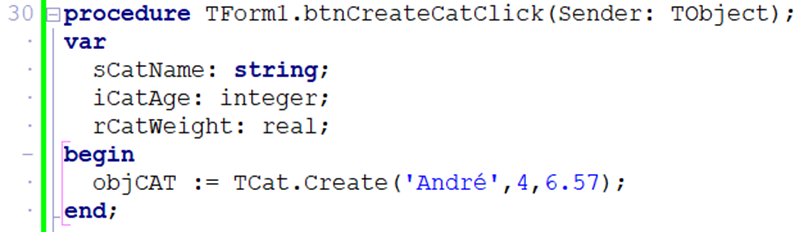
Always call Create before using any other method. The object does not exist until it is created. Also make sure the class unit name is in the uses clause of your main form.
Using a Class in the Main Form
uses
  ..., UCat;

var
  objCat : TCat;

// Create the object
objCat := TCat.Create('Whiskers', 3, 4.2);

// Use its accessors
lblName.Caption := objCat.GetName;           // 'Whiskers'
lblAge.Caption  := IntToStr(objCat.GetAge);  // '3'
memOut.Lines.Add(objCat.ToString);           // 'Whiskers, Age: 3, Weight: 4.2kg'

// Update via mutator
objCat.SetName('Felix');
lblName.Caption := objCat.GetName;           // 'Felix'
Dynamic Components — Creating Controls at Runtime
You already know that every Delphi control is an object of a class (a button is a TButton, a label is a TLabel). Because they are classes, you can create them in code while the program is running using the same Create constructor you use for your own classes — instead of dragging them onto the form at design time.
This is called creating a dynamic component. It is useful when you don't know in advance how many controls you need (e.g. one button per record loaded from a file).
The Four Steps
- Create the object from its class, passing the owner (usually the form).
- Set the Parent so Delphi knows where to draw it (which form/panel).
- Set properties like position, size and caption.
- Assign an event handler so it actually does something when clicked.
var
  btnDynamic : TButton;
begin
  // 1. Create the object (Form1 is the owner – frees it automatically)
  btnDynamic := TButton.Create(Form1);

  // 2. Set the Parent so it appears on the form
  btnDynamic.Parent := Form1;

  // 3. Set properties
  btnDynamic.Left    := 50;
  btnDynamic.Top     := 50;
  btnDynamic.Width   := 100;
  btnDynamic.Height  := 30;
  btnDynamic.Caption := 'Click Me';

  // 4. Assign an event handler (a procedure you wrote)
  btnDynamic.OnClick := btnDynamicClick;
end;

// The handler the button will run when clicked
procedure TForm1.btnDynamicClick(Sender: TObject);
begin
  ShowMessage('Dynamic button clicked!');
end;
Owner (the argument to Create) is responsible for freeing the component from memory when the form closes. Parent decides where on screen the component is drawn. They are usually the same form, but not always (e.g. Owner = Form, Parent = a Panel on that form).
If you create a component with Create(nil) (no owner), you must free it yourself with btnDynamic.Free; when you are done, otherwise it stays in memory. Passing the form as the owner lets Delphi clean up for you automatically.
2D Arrays Grade 12
A two-dimensional array stores data in a grid of rows and columns — like a table or spreadsheet. Each element is accessed using two indices: [row, column].
What is a 2D Array?
A two-dimensional (2D) array is a single variable that stores many values arranged in a grid of rows and columns. Where an ordinary (one-dimensional) array is like a single shopping list running down the page, a 2D array is like a whole spreadsheet — a block of cells where every value sits at the crossing point of a row and a column.
Analogy: think of a spreadsheet such as Excel. To find a cell you give a column letter and a row number — for example C5. A 2D array works exactly the same way, except we use two numbers: the first for the row and the second for the column. So myArray[2,3] means "the value in row 2, column 3", just like clicking one cell in a grid.
We use 2D arrays to store tables of data that naturally have rows and columns — for example a class register of marks where each row is a learner and each column is a subject, a seating plan, a noughts-and-crosses board, or temperatures recorded for each day across several weeks. One neat variable holds the whole table instead of dozens of separate variables.
Why Do We Use 2D Arrays?
- Related data stays together – instead of
mark1,mark2,mark3… you keep every mark in one organised grid. - Rows and columns have meaning – a row can represent one learner and a column one subject, so the position itself tells you what the value is.
- Loops do the heavy lifting – because the data is regular, two nested loops can fill, display or total the entire table in a few lines.
Declaration
Before you can use a 2D array you must declare it, telling Delphi how many rows and columns it has and what type of data each cell holds. You give two ranges in the square brackets: the first range is the rows and the second is the columns.
var
arrName : array [rowStart..rowEnd, colStart..colEnd] of DataType;var
myArray : array [1..2, 1..3] of Integer;The example above creates a grid with 2 rows and 3 columns, giving 6 integer cells in total. Note: the ranges can start at any number, but in CAPS we almost always start at 1 so that "row 1" really is the first row.
Visualising a 2D Array
The table below shows how the index numbers map onto the grid. Read it like a spreadsheet: pick a row down the side and a column across the top, and the cell where they meet is the array element you are referring to.
| Col 1 | Col 2 | Col 3 | |
|---|---|---|---|
| Row 1 | myArray[1,1] | myArray[1,2] | myArray[1,3] |
| Row 2 | myArray[2,1] | myArray[2,2] | myArray[2,3] |
Populating a 2D Array
Populating means putting values into the cells. There are two common ways: assigning each cell one by one (fine for a few known values), or using nested loops to fill the whole grid quickly.
Fixed values
Here we set each cell directly by naming its row and column. This is clear but tedious — imagine doing it for a 30 × 6 register. Use it only when you have a handful of specific values to place.
myArray[1,1] := 10;  myArray[1,2] := 20;  myArray[1,3] := 30;
myArray[2,1] := 40;  myArray[2,2] := 50;  myArray[2,3] := 60;
Nested FOR loops (most common)
This is the technique you will use most often. The outer loop moves through the rows; for each row the inner loop moves through every column. The result is that the inner loop runs completely for each turn of the outer loop, so the code visits every cell, one full row at a time — exactly like reading a spreadsheet left-to-right, then dropping down to the next line.
var
  myArray : array [1..3, 1..4] of Integer;
  r, c    : Integer;
begin
  for r := 1 to 3 do
    for c := 1 to 4 do
      myArray[r, c] := r * c;   // e.g. row 2, col 3 = 6
end;
Displaying a 2D Array
To show the grid neatly we again use nested loops, but this time we build up one line of text per row. For each row we start with an empty string, add every column value to it (padding each so the columns line up), and only then add the finished line to the memo. Important Rule: the line is built inside the inner loop but written out in the outer loop — that is what keeps each row on its own line.
var
  sLine, sNum: string;
  r, c:  Integer;
begin
  memOut.Clear;
  for r := 1 to 3 do
  begin
    sLine := '';
    for c := 1 to 4 do
    begin
      sNum := IntToStr(myArray[r,c]);
      while Length(sNum) < 5 do       // pad with spaces until 5 characters wide
        sNum := ' ' + sNum;
      sLine := sLine + sNum;
    end;
    memOut.Lines.Add(sLine);
  end;
end;Newer Delphi versions have a built-in .PadLeft() string helper that does this in one call, but it is not part of CAPS. The WHILE loop above achieves the same result — adding a space in front of the number until it is 5 characters wide — using only Length, string concatenation and a loop, all of which are already CAPS-examinable.
Calculations on 2D Arrays
A big reason for using a grid is to add things up. The trick is knowing which index to fix and which to vary. If you think of the class register again: a row total is one learner's marks added across all subjects, while a column total is one subject's marks added across all learners.
Row total
To total a single row we fix the row number (here row 1) and let the column index c change. The loop walks across that one row, adding each cell to a running total. This answers "what is everything in this row added together?" — for example one learner's total mark.
iTotal := 0;
for c := 1 to 4 do
  iTotal := iTotal + myArray[1, c];
Column total
Now we do the opposite: we fix the column number (here column 2) and let the row index r change. The loop runs straight down that one column, adding each cell. This answers "what is everything in this column added together?" — for example the total of all learners' marks for one subject.
iTotal := 0;
for r := 1 to 3 do
  iTotal := iTotal + myArray[r, 2];
Grand total of all elements
To add up every cell in the whole grid we need nested loops again — the outer loop for rows, the inner loop for columns — so the running total picks up each cell exactly once. This is how you would work out the grand total of all marks for the entire class across all subjects.
iTotal := 0;
for r := 1 to 3 do
  for c := 1 to 4 do
    iTotal := iTotal + myArray[r, c];
Worked Example — Class Register Report
A full exam question ties the pieces together: a 2D array of marks, a parallel 1D array of names, nested loops, and both a row and a column calculation. Here the grid arrMark holds marks for each learner (rows) across 4 subjects (columns), and arrName holds the matching learner names.
const
  LEARNERS = 5;
  SUBJECTS = 4;
var
  arrMark : array[1..LEARNERS, 1..SUBJECTS] of Integer;   // the grid: row = learner, col = subject
  arrName : array[1..LEARNERS] of string;              // parallel to the rows
arrName[r] is the name of the learner whose marks are in arrMark[r, 1..SUBJECTS] — the name array runs parallel to the rows of the grid.
Part (a) — Each learner's average (a row calculation)
Fix the row (one learner) and loop across the columns to total their subjects, then divide.
var
  r, c, iRowTotal : Integer;
  rAvg            : Real;
begin
  for r := 1 to LEARNERS do
  begin
    iRowTotal := 0;
    for c := 1 to SUBJECTS do
      iRowTotal := iRowTotal + arrMark[r, c];
    rAvg := iRowTotal / SUBJECTS;
    memOut.Lines.Add(arrName[r] + ': ' +
                     FloatToStrF(rAvg, ffFixed, 4, 1) + '%');
  end;
end;
Part (b) — The best subject (a column calculation + finding a max)
Now fix each column (one subject) and loop down the rows to average that subject across all learners, keeping track of the highest.
var
  r, c, iColTotal, iBestCol : Integer;
  rColAvg, rBestAvg         : Real;
begin
  iBestCol := 1;
  rBestAvg := 0;
  for c := 1 to SUBJECTS do
  begin
    iColTotal := 0;
    for r := 1 to LEARNERS do
      iColTotal := iColTotal + arrMark[r, c];
    rColAvg := iColTotal / LEARNERS;
    if rColAvg > rBestAvg then
    begin
      rBestAvg := rColAvg;
      iBestCol := c;               // remember WHICH subject
    end;
  end;
  ShowMessage('Best subject: column ' + IntToStr(iBestCol) +
              ' (average ' + FloatToStrF(rBestAvg, ffFixed, 4, 1) + '%)');
end;Row calculation → fix the row, loop the columns (one learner across all subjects). Column calculation → fix the column, loop the rows (one subject down all learners). To find a "best/worst", store the index as you go — that index links straight back to the parallel arrName.
Recursion in Delphi Grade 12
Recursion is when a function or procedure calls itself repeatedly until a base condition is met. It is a powerful technique for problems that can be broken down into smaller versions of the same problem.
What is Recursion?
Recursion is when a function calls itself to solve a smaller version of the same problem, again and again, until the problem becomes so small it can be answered directly.
Analogy: picture a set of Russian nesting dolls. You open the biggest doll and find a smaller doll inside, open that and find a smaller one still, and you keep going until you reach the tiny doll that does not open. Recursion works the same way — each call opens up a slightly smaller version of the problem, and the smallest doll (the one that does not open) is the point where you stop.
A recursive routine is one that calls itself. Every recursive solution must have two parts:
- Base case — the condition that stops the recursion (essential — without it you get infinite recursion)
- Recursive case — the part where the function calls itself with a simpler input
A recursive function without a base case will call itself forever, causing a stack overflow error and crashing the program.
Example 1 — Factorial
Factorial of n (written n!) = n × (n-1) × (n-2) × … × 1. Example: 5! = 5 × 4 × 3 × 2 × 1 = 120
function Factorial(n: Integer): Integer;
begin
  if n <= 1 then           // base case: factorial of 0 or 1 is 1
    Result := 1
  else                      // recursive case
    Result := n * Factorial(n - 1);
end;

// Calling it:
lblResult.Caption := IntToStr(Factorial(5));  // = 120
Trace — how Factorial(4) executes
Factorial(4)
  = 4 * Factorial(3)
      = 3 * Factorial(2)
          = 2 * Factorial(1)
              = 1        ← base case reached
          = 2 * 1 = 2
      = 3 * 2 = 6
  = 4 * 6 = 24
Example 2 — Sum of 1 to N
function SumToN(n: Integer): Integer;
begin
  if n <= 0 then
    Result := 0           // base case
  else
    Result := n + SumToN(n - 1);  // recursive case
end;

// SumToN(4) = 4 + 3 + 2 + 1 + 0 = 10
Example 3 — Power (x to the power of n)
function PowerOf(base, exp: Integer): Integer;
begin
  if exp = 0 then
    Result := 1                            // base case: x^0 = 1
  else
    Result := base * PowerOf(base, exp - 1); // recursive
end;

// PowerOf(2, 4) = 2*2*2*2 = 16
Example 4 — Fibonacci Sequence
Each number is the sum of the previous two: 0, 1, 1, 2, 3, 5, 8, 13…
function Fibonacci(n: Integer): Integer;
begin
  if n <= 1 then
    Result := n                            // base cases: F(0)=0, F(1)=1
  else
    Result := Fibonacci(n - 1) + Fibonacci(n - 2);
end;
Recursion vs Iteration
| Recursion | Iteration (loop) | |
|---|---|---|
| How it works | Function calls itself | Loop repeats a block |
| Code clarity | Often more elegant for naturally recursive problems | Usually easier to trace and debug |
| Memory use | Uses call stack (risk of stack overflow for large n) | Constant memory use |
| Speed | Can be slower due to function call overhead | Generally faster |
| Best for | Tree traversal, divide-and-conquer algorithms | Simple counting and totalling |
Key Rules for Writing Recursive Functions
- Always define a base case that returns a value without calling itself
- Each recursive call must move toward the base case (e.g. decrease n by 1)
- Test with small values first — trace through manually
- Use a function (not procedure) so it can return a value
Data Collection & Warehousing Grade 12
Modern databases are fed by many automated data collection methods. Large organisations store historical data in warehouses for analysis and decision-making.
Methods of Data Collection
Data collection is the process of gathering raw facts and figures from many different sources so that they can be stored, processed and turned into useful information. In the old days a person sat with a clipboard and wrote everything down by hand. Today most data is collected automatically — every time you swipe a card, drive under an e-toll gantry or tap a website, data is being captured about you without anyone writing a single thing.
A database is only as good as the data inside it. The more accurate, complete and up-to-date the collected data is, the better the decisions an organisation can make. Automated collection means more data, collected faster, with fewer human mistakes.
Example: When you scan your Pick n Pay Smart Shopper card at the till, the shop instantly records what you bought, when, where and for how much — that single swipe feeds a database that the shop later uses to send you targeted specials.
| Method | Description | Example |
|---|---|---|
| Forms (manual) | User types data directly into a form | School registration, job application |
| Web forms | Online interactive pages with GUI components (dropdowns, checkboxes) | Online survey, account sign-up |
| RFID tags | Wireless chips store ID data, read without contact | Library books, inventory, e-toll, access cards |
| Digital sensors | Gather environmental data automatically | Temperature sensors, motion detectors |
| Cookies | Small files stored by websites to record browsing behaviour and preferences | Login sessions, shopping carts, ad targeting |
| Transaction tracking | Records each purchase: date, time, location, product, amount | Credit card transactions, loyalty cards |
| Mobile apps | Collect app usage, location, device data | Uber location tracking, fitness app steps |
Static vs Dynamic Location Data
| Type | Description | Example |
|---|---|---|
| Static | Fixed, does not change once recorded | Address of a shop, GPS coordinates of a landmark |
| Dynamic | Changes as the object moves, updated continuously | Uber driver location, delivery truck tracking |
Data Warehousing
A data warehouse is a large central storage system that collects and consolidates historical data from many separate source databases into one single place, so that it can be analysed for trends and decision-making.
Think of it like this: a normal database is like the till at one Pick n Pay branch — it records today's sales as they happen. A data warehouse is like head office in Cape Town, where the sales from every branch in the country, going back many years, are all poured into one giant store. Head office does not use this to ring up a sale; they use it to spot the big picture — which products sell best in winter, which branches are growing, where to open the next store.
Central – one single store that brings many sources together.
Historical – it keeps years of old data, not just today's transactions.
Read-mostly – data is loaded in and then read for reports; it is not constantly changed.
Subject-oriented – organised around topics like "sales" or "customers" for easy analysis.
Note: Because a warehouse holds so much data from so many sources, the data must first be cleaned and put into a consistent format before it is loaded in — otherwise the same customer might appear three different ways and the analysis would be wrong.
| Database | Data Warehouse | |
|---|---|---|
| Purpose | Day-to-day transactions | Historical analysis and reporting |
| Data | Current transactions only | Historical data from many sources |
| Operations | Read + write (INSERT, UPDATE, DELETE) | Mostly read (SELECT, reports) |
| Used by | Operational staff | Analysts, management, BI tools |
Metadata is data that describes other data. It doesn't tell you the actual content, but tells you facts about that content — e.g. a photo's metadata might include the file size, the date it was created, the camera used and the GPS location, without saying anything about what's actually in the photo. Metadata is what lets you search, sort and organise large amounts of data efficiently.
Centralised vs Distributed Databases
| Centralised database | Distributed database | |
|---|---|---|
| Where data lives | Stored and managed on a single server | Spread across multiple servers/locations |
| Main advantage | Simpler to manage, secure and back up | Better performance for users in different locations; no single point of failure |
| Main disadvantage | If that one server fails, the whole system is unavailable | More complex to keep all copies of the data consistent (synchronisation) |
| Typical use | A small business with one office | A large company with branches/customers in many regions, or cloud-based services |
The usual question just asks you to distinguish the two — focus on the "single server" vs "spread across multiple servers/locations" distinction, since that's the core of almost every mark allocation.
Data Mining
Data mining is the process of analysing very large datasets to discover hidden patterns, trends and useful relationships that a human could never spot by eye. The name is a good clue: just as a gold miner digs through tonnes of rock to find a few grams of gold, data mining digs through millions of records to find the valuable nuggets of knowledge buried inside.
Why Do Companies Mine Data?
Companies collect enormous amounts of data, but raw data on its own is useless — it is just numbers and words. Data mining turns that raw data into insight they can act on. For example, Pick n Pay's Smart Shopper data might reveal that customers who buy nappies on a Friday evening also tend to buy snacks — so the shop places those products near each other and increases sales. Nobody told the computer to look for that link; the pattern was mined out of the data.
Process
- Extract relevant data — use SQL to pull only the required subset
- Look for patterns — analyse for trends, correlations, anomalies
- Discover knowledge — turn patterns into actionable insights
Applications
- Marketing: target campaigns based on customer age, interests, behaviour
- Healthcare: predict patient risk factors from historical data
- Government: determine social grant thresholds
- Social media: Facebook mines your likes to suggest friends and content
Caring for Data
Caring for data means protecting the accuracy, security and availability of an organisation's data throughout its life. Data is one of the most valuable assets a company owns — often worth more than its buildings or equipment — because decisions, money and reputations all depend on it. Poor data leads to poor decisions, and lost data can shut a business down completely.
"Garbage in, garbage out." If incorrect data goes into the system, only incorrect information can come out — no matter how clever your analysis is. This is why validation and verification at the point of capture are so important.
Below are the main ways an organisation looks after its data. Notice how each one protects against a different danger — wrong data, lost data, or stolen data.
- Validation — ensure entered data meets rules (format, range, type)
- Verification — ensure data is correct and intentional (double entry, confirmation)
- Logging — audit trail recording who changed what and when
- Access control — passwords, user rights, encryption
- Parallel data sets — duplicate copies in separate locations for disaster recovery
Relational Databases & Normalisation Grade 12
A relational database stores data in structured tables linked together. Normalisation is the process of cleaning up a database design to remove repetition and prevent errors.
What is a Relational Database?
A relational database stores data in tables (also called relations). Each table represents one type of thing — for example, a table for students, a separate table for subjects. Tables are then linked together using key fields.
Key Fields
| Key Type | Description | Example |
|---|---|---|
| Primary Key (PK) | Uniquely identifies each record. No duplicates, no blanks. | StudentID in tblStudents |
| Foreign Key (FK) | A field that links to the primary key of another table. Creates the relationship. | ClassID in tblStudents → links to tblClasses |
| Composite Key | Two or more fields combined to create a unique identifier | StudentID + SubjectID in tblMarks |
| Alternate Key | Could be a primary key but wasn't chosen as one | Email address (also unique, but ID was chosen as PK) |
One field can be both — a primary key in its own table and a foreign key where it's used to link into another table. The rule to remember: a primary key may never be null or duplicated, but a foreign key is allowed to be null (e.g. a student who hasn't been assigned a class yet).
Referential Integrity
Referential integrity is a rule that ensures relationships between tables remain consistent. It means: a foreign key value must always match an existing primary key value in the related table.
If ClassID C03 doesn't exist in tblClasses, you cannot add a student with ClassID = C03. The database will reject this to prevent orphan records (records with no matching parent).
Entity Relationship Diagram (ERD)
An ERD is a diagram that shows the entities (tables) in a database and the relationships between them. Each box is a table; the line between boxes shows how they relate. You are often asked to draw one in the exam, so practise the crow's-foot notation below.
The relationship is created by putting the primary key of the "one" table into the "many" table as a foreign key (here BookID links tblBooks to tblLoans).
Types of Relationships
| Relationship | Meaning | Example |
|---|---|---|
| One-to-One (1:1) | One record links to exactly one record in the other table | One person ↔ one ID number |
| One-to-Many (1:∞) | One record links to many records in the other table | One book can appear in many loans |
| Many-to-Many (∞:∞) | Many records link to many records — resolved with a third "link" table | Students ↔ Activities (via a link table) |
A relational database can't store a many-to-many relationship directly. You break it into two one-to-many relationships using a junction/link table (e.g. tblLoans links books and borrowers).
Physical vs Logical Integrity
| Type | What it protects | How it is ensured |
|---|---|---|
| Physical integrity | The data is not lost or damaged by hardware failure, power loss or disaster | RAID, UPS, regular backups, off-site storage |
| Logical integrity | The data stays correct, consistent and valid within the database | Validation rules, referential integrity, record locking |
Record locking temporarily "locks" a record while one user is editing it, so that a second user cannot change the same record at the same time. This prevents two users overwriting each other's changes and keeps the data consistent (a key way to protect logical integrity in a multi-user database).
Database Anomalies
When a database is poorly designed (not normalised), three types of errors can occur when working with data:
| Anomaly | When it happens | Example |
|---|---|---|
| Insertion anomaly | You can't add new data without first adding other unrelated data | Can't add a new class until at least one student enrols in it |
| Deletion anomaly | Deleting one record accidentally removes other important data | Deleting the only student in a class also deletes the class's information |
| Modification anomaly | Changing one value means updating many rows — and missing some creates inconsistency | A teacher's name appears in 50 student records; update one and the others are wrong |
Normalisation splits large, messy tables into smaller, focused tables and links them properly. This eliminates all three anomalies.
Spot the Design Errors — Exam Checklist
A common Section D question gives you a badly designed table and asks you to identify the faults. Run the table through this checklist in order:
| Design fault | Why it's a problem | Fix |
|---|---|---|
| Unsuitable primary key | A surname, e-mail or cellphone number can repeat or change over time | Use an autonumber ID field that is unique and never changes |
| Non-atomic field | A cell holding more than one piece of data, e.g. a full name or a full address in one field | Split into separate fields (Name → FirstName + Surname) |
| Data stored in field names | Columns named 2024, 2025, 2026 — adding a new year means redesigning the table | Store the year as data in a field, not as a column heading |
| Descriptive data duplicated with a foreign key | Storing both TeacherID and TeacherSurname in the child table is redundant | Store only the foreign key; retrieve the rest through the relationship |
| Inconsistent or ambiguous naming | Fields named Name1, Nm, or a mix of naming styles | Use clear, consistent, descriptive field names throughout |
Worked example: tblClubMembers as given
| MemberName | Activities | Coach | CoachCell |
|---|---|---|---|
| Lindiwe Zulu | Chess, Debating | Mr Adams | 0821234567 |
| Sam Petersen | Chess | Mr Adams | 0821234567 |
❌ No primary key · MemberName is not atomic (first name + surname) · Activities holds multiple values in one cell · Coach and CoachCell are redundant, repeated for every member
Corrected design
| Table | Fields |
|---|---|
tblCoach | CoachID (PK), FirstName, Surname, CellNumber |
tblMember | MemberID (PK), FirstName, Surname |
tblActivity | ActivityID (PK), ActivityName, CoachID (FK) |
tblMemberActivity | MemberID (FK), ActivityID (FK) — composite PK, resolves the many-to-many between members and activities |
Normalisation — The Three Normal Forms
Normalisation is the systematic process of organising the fields and tables of a relational database, by applying a set of rules called normal forms, in order to reduce data redundancy and prevent insertion, deletion and modification anomalies.
Imagine one giant spreadsheet where every order repeats the customer's full name, address and phone number. If a customer moves house you must change it in dozens of rows — and if you miss one, the data disagrees with itself. Normalisation is like splitting that mess into tidy, single-topic tables: one Customers table (each customer stored once) and one Orders table that just points back with the customer's ID (a foreign key). Now a change is made in one place only. The three normal forms are simply three tidy-up rules you apply in order.
First Normal Form (1NF)
A table is in 1NF when:
- Every cell contains a single value (no lists of values in one cell)
- There are no repeating groups of columns
- Every record is unique (has a primary key)
Not in 1NF:
| StudentID | Name | Subjects |
|---|---|---|
| 1 | Alice | Maths, IT, English |
❌ Problem: Three values in one cell (Subjects column)
In 1NF:
| StudentID | Name | Subject |
|---|---|---|
| 1 | Alice | Maths |
| 1 | Alice | IT |
| 1 | Alice | English |
Second Normal Form (2NF)
A table is in 2NF when it is in 1NF AND every non-key field depends on the whole primary key (not just part of it). This only matters when the primary key is a composite key.
Example violation:
| StudentID (PK) | SubjectID (PK) | StudentName | Mark |
|---|---|---|---|
| 1 | IT | Alice | 85 |
❌ Problem: StudentName only depends on StudentID, not on (StudentID + SubjectID) together
In 2NF — split the table:
| StudentID (PK) | StudentName |
|---|---|
| 1 | Alice |
| StudentID (PK+FK) | SubjectID (PK) | Mark |
|---|---|---|
| 1 | IT | 85 |
Third Normal Form (3NF)
A table is in 3NF when it is in 2NF AND no non-key field depends on another non-key field (no transitive dependency).
Example violation:
| StudentID (PK) | Name | GradeLevel | GradeDescription |
|---|---|---|---|
| 1 | Alice | 12 | Matric |
❌ Problem: GradeDescription depends on GradeLevel (a non-key field), not on StudentID
In 3NF — split it:
| StudentID (PK) | Name | GradeLevel (FK) |
|---|---|---|
| 1 | Alice | 12 |
| GradeLevel (PK) | GradeDescription |
|---|---|
| 12 | Matric |
Quick Normalisation Checklist
| Normal Form | Check for | Fix by |
|---|---|---|
| 1NF | Multiple values in one cell? Repeating columns? | Split into separate rows; add PK |
| 2NF | Non-key field depends on only PART of the composite PK? | Move that field to its own table |
| 3NF | Non-key field depends on another non-key field? | Move the dependency to its own table |
Good Database Characteristics
| Characteristic | Meaning |
|---|---|
| Data integrity | Data is accurate, consistent and complete throughout its lifecycle |
| Data independence | Changing the database structure doesn't break the programs that use it |
| Data redundancy | Minimum — the same data should not be stored in multiple places |
| Data security | Only authorised users can access or modify data |
| Ease of maintenance | The database design makes it simple to insert, update and delete without causing problems |
Redundancy (the same data stored in more than one place) is usually what causes integrity failures — update one copy and forget the other, and the data disagrees with itself. But not all redundancy is bad: a backup is deliberate, planned redundancy. Only accidental, unplanned duplication threatens integrity.
Hardware & Performance Grade 12
Mobile device hardware, factors that affect computer performance, and choosing the right system for a user's needs.
Mobile Technology Hardware
Smartphones have similar hardware to desktops but in miniaturised form. Key differences:
| Component | Desktop | Smartphone |
|---|---|---|
| CPU | Separate chip; very powerful; many cores | SoC (System on a Chip) — CPU+GPU+modem+RAM in one chip |
| Input | Keyboard and mouse | Touchscreen; virtual keyboard |
| Display | Large external monitor | Small built-in touchscreen |
| Connectivity | Wired NIC or Wi-Fi card | Built-in Bluetooth, Wi-Fi, 4G/5G, GPS, NFC |
| Battery | Plugged in; no battery constraint | Limited battery; performance vs battery trade-off |
Mobile Constraints
- Battery life: limited capacity must last the whole day; processing power directly affects battery drain
- Form factor: miniaturised components mean less cooling and tighter power limits
- Screen size: limited display area affects usability for complex tasks
- Input limitations: touchscreen less precise than physical keyboard/mouse for complex input
Factors Influencing Computer Performance
| Factor | How it affects performance |
|---|---|
| CPU clock speed (GHz) | Higher = more instructions per second; faster processing |
| CPU cores | More cores = better multitasking and parallel processing |
| RAM amount and speed | More RAM = more programs running simultaneously; higher speed = faster data transfer to CPU |
| Cache size (L1/L2/L3) | Larger cache = CPU waits less for data from RAM |
| GPU clock speed | Higher GPU speed = faster graphics rendering; important for gaming and video |
| Storage type (HDD vs SSD) | SSD gives dramatically faster boot times and application loading |
| NIC speed (Mbps) | Faster NIC = faster downloads, streaming, network file transfers |
| Operating system | Outdated OS causes compatibility issues, security risks and slower operation |
HDD vs SSD — Summary
| Feature | HDD | SSD |
|---|---|---|
| Speed | Slow (mechanical) | Very fast |
| Durability | Fragile (moving parts) | Durable (no moving parts) |
| Noise | Audible spinning | Silent |
| Cost per GB | Cheaper | More expensive |
| Boot time | Long (30–60 seconds) | Very short (5–15 seconds) |
Motivating a Computer System for a User
When recommending a computer, match the components to the user's needs:
| User type | Recommended specs |
|---|---|
| Office/admin worker | Moderate CPU, 8GB RAM, SSD, integrated graphics |
| Graphic designer / video editor | Fast multi-core CPU, 16–32GB RAM, dedicated GPU, large SSD |
| Gamer | Fast CPU, 16GB+ RAM, high-end dedicated GPU, fast SSD |
| Student | Mid-range CPU, 8GB RAM, SSD, Wi-Fi, long battery (laptop) |
| Server / database host | Many cores, large ECC RAM, RAID storage, redundant power |
Cloud Computing, AI, VR & AR Grade 12
Grade 12 Term 2 theory: cloud computing, Artificial Intelligence, Virtual Reality, Augmented Reality, Mixed Reality and virtualisation — all new Software topics in the updated CAPS.
Artificial Intelligence (AI)
AI refers to computer systems that can perform tasks that normally require human intelligence — such as learning, reasoning, decision-making and pattern recognition.
What is AI used for?
- Virtual assistants (Siri, Google Assistant, Alexa)
- Recommendations (Netflix, Spotify, YouTube suggest content)
- Fraud detection in banking
- Medical diagnosis support
- Autonomous vehicles (self-driving cars)
- Chatbots for customer service
- Image and facial recognition
Advantages of AI
- Processes vast amounts of data faster than humans
- Works 24/7 without breaks or fatigue
- Reduces human error in repetitive tasks
- Enables automation of complex processes
Disadvantages and Limitations of AI
- Can be biased if trained on biased data
- Job displacement — automating roles previously done by humans
- No true understanding or common sense — only pattern matching
- Security risks — AI can be used to create deepfakes or power cyberattacks
- Expensive to develop and maintain
- Privacy concerns with data collection required for AI training
When an AI system makes a decision on its own — e.g. a self-driving car choosing how to react, or a bank's AI declining a loan application — it raises the question of who is responsible if that decision is wrong or unfair: the company that built the AI, the company that deployed it, or the AI itself (which cannot be held legally responsible)? This is why most systems still allow a human to review or override an AI's decision, and why exam answers about AI limitations should mention accountability/bias alongside the more obvious "it might make mistakes".
Cloud Computing
Software, storage and computing power delivered as a service over the Internet, rather than installed locally.
You don't build a power station in your back yard — you just plug into the wall and pay for what you use, and someone else runs the generators. Cloud computing works the same way: instead of buying and maintaining your own servers, you rent storage and computing power from a provider (Google, Microsoft, Amazon) over the internet and pay only for what you use. It scales up when you need more and down when you don't, exactly like drawing more or less electricity from the grid.
| Advantage | Disadvantage |
|---|---|
| Scalable — capacity grows automatically | Requires internet connection |
| Affordable — pay only for what you use | Downtime affects all users |
| Accessible from any device anywhere | Security and privacy concerns |
| Maintained by experts; always updated | Ongoing subscription costs |
| Easy collaboration between users | Limited control over infrastructure |
When a business stores its data with a third-party cloud provider, it must be clear about who actually owns that data and who controls it. The business should understand the provider's policies on access, storage, backup and — critically — what happens to the data if it stops using that provider (can it be retrieved and deleted, or does the provider retain rights to it?). This is a concern distinct from general "security" — even a perfectly secure cloud service can still raise ownership questions.
SaaS — Software as a Service
Applications accessed via browser with no local installation. Examples: Google Docs, Microsoft 365, Gmail.
Effect on Hardware
Cloud reduces the need for powerful local hardware — thin clients and low-spec devices can run complex software via the cloud. Businesses no longer need to buy expensive servers.
Virtualisation
Running multiple virtual machines on a single physical computer. Each VM has its own OS, RAM, storage and apps, isolated from others.
Benefits
- Cost savings — fewer physical servers needed
- Test operating systems safely without affecting main computer
- Disaster recovery — VM images can be backed up and restored
- Green IT — fewer machines, less power and cooling
Virtual Reality (VR)
A fully artificial, immersive 3D environment created by software. The user is completely cut off from the real world.
| Use Case | Example |
|---|---|
| Training | Military simulations, surgical training |
| Education | Virtual field trips, interactive lessons |
| Entertainment | VR gaming, virtual cinemas |
| Healthcare | Phobia treatment, pain management |
| Engineering | Virtual prototypes, architectural walkthroughs |
Hardware Requirements for VR
- VR headset (e.g. Meta Quest, PlayStation VR)
- Powerful GPU for real-time 3D rendering
- Motion controllers / tracking sensors
- High-speed processor and sufficient RAM
- Input devices: joysticks, tracking balls, controller wands, data gloves, trackpads, motion trackers and treadmills — used to navigate and interact within the virtual environment
- Output devices: present VR content back to the user through visual (headset display), auditory (headphones) and even haptic (touch/vibration feedback) displays
Limitations of VR
- Software constraints — VR software has limited flexibility beyond what it was originally built to do
- Cannot simulate dynamic environments well — VR struggles to replicate the constantly changing nature of a real classroom or real-world situation
- Potential for addiction and social detachment — excessive VR use can become addictive and reduce real-world social connection because the experience feels artificial but immersive
Augmented Reality (AR)
Overlays computer-generated content on the real world — you still see reality, with digital elements added.
| Use Case | Example |
|---|---|
| Retail | Preview furniture in your room before buying |
| Training | Step-by-step repair instructions overlaid on equipment |
| Navigation | AR arrows overlaid on road view |
| Marketing | Interactive product advertisements |
Hardware Requirements for AR
- Battery life sufficient for extended use
- Bluetooth / Wi-Fi connectivity
- Wide field of view for realistic 3D overlay
- On-board storage capacity and an operating system or web browser to run the AR software
- Inputs/outputs such as buttons, eye tracking and an accelerometer, plus a microphone and speakers
- Visual tracking capabilities — so the device knows where to anchor digital objects in the real world
Limitations of AR
- Rendering meaningful, realistic graphics is challenging
- Scaling digital objects to the correct perspective is difficult
- Smartphones have limited storage, processing power and battery
Internet Technologies Grade 12
How the web works under the hood — search technologies, web technologies, online applications, and how data is stored and processed online.
Search Technologies
| Type | Description |
|---|---|
| Keyword search | Matches exact words in the query |
| Semantic search | Understands meaning and context behind words — interprets user intent, not just keywords |
| Mediated search | A middleman system filters results for a specific database or organisation (e.g. Google Scholar) |
| SEO | Search Engine Optimisation — techniques to make websites rank higher in search results (keywords, speed, mobile-friendly, backlinks) |
Static vs Dynamic Websites
| Static | Dynamic | |
|---|---|---|
| Content | Fixed HTML — changes only if developer edits files | Generated on demand from a database |
| Database | No | Yes |
| Examples | Simple portfolio, business info page | Online shop, social media, news sites |
| Security risk | Low | Higher (SQL injection, data breaches) |
Web Technologies
| Technology | Role | Example |
|---|---|---|
| HTML | Structure and content of web pages | Headings, paragraphs, links, images |
| CSS | Visual styling — colours, fonts, layout | Blue buttons, responsive grid |
| JavaScript | Client-side interactivity; runs in the browser | Form validation, dropdown menus, AJAX |
| PHP | Server-side scripting; processes forms, talks to databases | Login authentication, database queries |
| SQL | Query and manage database data | SELECT user data, INSERT orders |
| XML | Structured data exchange between systems | Product data feeds between websites |
| RSS | An XML-based feed format that lets users subscribe to a site and automatically receive new content as it is published | News headlines, blog posts, new podcast episodes |
Storing Data Online
- Cookies — small text files stored on the user's device by a website. Remember preferences, login sessions, shopping carts.
- Online databases — data stored on remote servers. Examples: Gmail messages, your social media posts.
- Online applications — programs that run over the internet rather than being installed on your local computer; they store data, execute instructions and present output entirely through the browser or app. Examples: Google Docs, Gmail, internet banking apps.
Running Instructions
| Client-side (browser) | Server-side (web server) | |
|---|---|---|
| Language | JavaScript, AJAX | PHP, Python, Node.js |
| Purpose | Real-time page updates, validation, animations | Authentication, database access, processing |
| AJAX | Updates parts of a page without reloading | — |
The Role of Scripting Languages
A scripting language is what turns a plain, static page into a website that actually does something. Its role always splits into two halves — what happens instantly in the visitor's browser, and what happens back on the web server — and an online store is a good way to see both halves at work at once.
Runs in the customer's own browser, so it can react instantly without waiting for the server. On an online store it could:
- Validate the checkout form before it is submitted — e.g. checking that a cellphone number field isn't empty or that the quantity entered is a valid positive number — so the customer sees the error immediately, without a round trip to the server.
- Update the shopping cart total the instant a customer changes a quantity, with no need to reload the page.
- Show or hide extra product information (e.g. a "Read more" description) when clicked.
Runs on the store's web server, so it's the only place that can safely reach the database. On an online store it could:
- Check the product database to confirm an item is still in stock before allowing checkout.
- Calculate the order total and generate an order confirmation.
- Securely process the customer's login and payment details.
- Insert the new order into the database and update the stock level once payment succeeds.
HTTP vs HTTPS
| HTTP | HTTPS | |
|---|---|---|
| Encryption | None — data sent in plain text | SSL/TLS encryption |
| Padlock | No padlock in browser | Padlock icon shown |
| Use | Non-sensitive public pages | Login, banking, shopping — any sensitive data |
Networks & Remote Access Grade 12
Essential network components, internet connection methods, file sharing, and remote access technologies.
A small-scale network connecting the devices within a single home — routers, computers, smart TVs, smart-home devices, etc. It's essentially a LAN (Local Area Network), just applied specifically to a residence rather than an office or school.
Essential Network Hardware
| Component | Function |
|---|---|
| NIC | Network Interface Card — hardware that connects a device to a network (wired or wireless) |
| Switch | Connects devices on a LAN and forwards data only to the intended device (not broadcast like a hub) |
| Router | Connects different networks; routes packets; assigns IP addresses; acts as gateway to ISP |
| Modem | Converts digital signals to analogue for telephone lines (and back); connects to ISP |
| Wireless access point | Enables wireless devices to connect to a wired network via Wi-Fi |
| All-in-one home router | Combines modem + router + switch + Wi-Fi access point in one device |
A switch only ever operates within one network — it forwards data to the correct device on the same LAN. A router operates between different networks and finds the best path from one to another. The box on your wall at home combines both — but in the exam, describe each function separately.
IP Address vs MAC Address
Every device on a network needs an address, but there are two different kinds working at the same time.
| IP Address | MAC Address | |
|---|---|---|
| Assigned by | The network, often automatically via DHCP | The manufacturer — burnt into the NIC |
| Changes? | Yes — a new one is assigned when the device joins a different network | No — permanent and globally unique |
| Purpose | Logical address used to route data between networks | Physical address used to identify a device on its own local network |
A MAC address never changes, no matter which network the device connects to. An IP address usually does change — it identifies where a device currently is, not which physical device it is.
Wired Communication Media
| Medium | Speed | Range | Notes |
|---|---|---|---|
| UTP cable (Ethernet) | Up to 10 Gbps | 100m per segment | Common in offices and schools; easy to install |
| Fibre optic | Up to Tbps | Kilometres | Uses light; most secure; expensive to install |
| Coaxial | Moderate | Hundreds of meters | Older standard; still used in some broadband |
Connecting to the Internet
| Technology | Description | Speed |
|---|---|---|
| ADSL | Uses telephone copper lines; download faster than upload | Up to ~20 Mbps |
| Fibre | Light through fibre optic cables; fastest and most reliable | 100 Mbps–1 Gbps+ |
| WiMAX | Long-range wireless; used in rural/remote areas | Moderate |
| 4G/LTE | Mobile broadband; widely available | 5–100 Mbps |
| 5G | New generation mobile; very low latency; supports IoT | 50 Mbps–10 Gbps |
| Satellite | Signal sent to/from an orbiting satellite; works almost anywhere, even where no cables or towers exist | Slower and higher latency than fibre or mobile data; often more expensive |
Bandwidth, Data Caps & Throttling
| Term | Measured in | Meaning |
|---|---|---|
| Bandwidth | Mbps (megabits per second) | How fast data can be transferred — the maximum capacity of the connection |
| Data cap | GB (gigabytes) | How much total data may be used in a billing period |
| Throttling / shaping | — | The ISP deliberately reducing speed — often once a data cap is exceeded, or for specific traffic types (e.g. streaming) at any time |
Being capped doesn't slow you down at all — until you exceed the limit. Being shaped/throttled can slow specific traffic types at any time, cap or no cap. Don't confuse "how fast" (bandwidth), "how much" (data cap) and "deliberately slowed" (throttling).
File and Folder Sharing
On a network, users can share resources. Access can be restricted by permission level:
| Permission Level | What the user can do |
|---|---|
| No access | Cannot see the shared resource |
| Read-only | Can view/copy files but not modify or delete |
| Read/Write | Can view, copy, modify files |
| Full control (Admin) | Can do everything including change permissions |
Remote Access
Accessing a device or network from a physically different location.
Sending private data across the open internet is like carrying cash through a busy public street — anyone could grab it. A VPN is like an armoured van driving through that same street: it builds a sealed, encrypted "tunnel" so that, even though your data travels over the public internet, no one on the outside can see or reach what is inside. That is how an employee at home can safely reach the private company network.
| Type | Description | Example |
|---|---|---|
| LAN remote access | Access another computer in the same building | Shared folder on school server |
| Internet remote access | Access home/work resources from anywhere | Google Drive, OneDrive, Remote Desktop |
| VPN | Encrypted tunnel over internet; secure remote access to private network | Employee working from home via company VPN |
Cloud Storage and Sharing
- Store and access files from any device, anywhere
- Automatic backup and version history
- Collaboration: multiple users edit the same file simultaneously
- Examples: Google Drive, OneDrive, Dropbox
BitTorrent (Peer-to-Peer Sharing)
Files are split into small pieces and downloaded simultaneously from many peers.
- Legal uses: distributing Linux distros, large software updates
- Risks: often used for piracy; your IP is visible to all peers
Communication Technologies Grade 12
This page focuses on how data is kept safe as it travels across a network — VPNs, encryption, digital certificates and authentication. For network hardware, internet access technologies and general remote access, see Networks & Remote Access.
VPN — Virtual Private Network
A VPN creates an encrypted tunnel over the Internet, allowing secure remote access to a private network. (See Networks & Remote Access for the armoured-van analogy and a worked example.)
- Hides your IP address and location
- All data is encrypted — safe on public Wi-Fi
- Used by companies for remote workers to securely access internal systems
Risks of Allowing Remote Access to a Company Network
Letting employees connect to the company network from home or on the road introduces risks that don't exist when everyone works from a secured office network:
- Weaker home networks: an employee's home Wi-Fi is usually far less secure than the office network (weak passwords, outdated router firmware), making it easier for an attacker to intercept data or gain access to the connection.
- Lost or stolen devices: a laptop or phone used for remote access that is lost or stolen can give an unauthorised person direct entry into the company network, especially if it isn't password/PIN protected or its access isn't revoked quickly.
- Unsecured public Wi-Fi: connecting from a coffee shop or airport network makes it easier for someone else on that same network to intercept data.
This is exactly why VPNs, MFA and strong device security matter more for remote workers than for on-site staff.
Encryption & Security
| Concept | Description |
|---|---|
| Encryption | Converts readable data into unreadable code. Only someone with the correct key can decrypt it. |
| SSL/TLS | Protocol securing communication between browser and server (HTTPS). Uses public/private key pairs. |
| Digital certificate | Issued by a trusted Certificate Authority. Verifies the website is legitimate. |
| Firewall | Filters incoming and outgoing traffic based on security rules |
| MFA | Multi-Factor Authentication — requires password + second factor (OTP, fingerprint) |
| OTP | One-Time PIN — valid for one login only; prevents replay attacks |
Other Security Strategies (Besides MFA and SSL)
- Strong password policies: requiring long, complex passwords that are changed regularly, and never reused across accounts.
- Regular software/security updates: patching known vulnerabilities before attackers can exploit them.
- Staff security-awareness training: teaching employees to recognise phishing emails and other social-engineering attempts, since people are often the weakest link, not the technology.
- Access control / user rights management: giving each user only the access they actually need for their job (the "principle of least privilege"), so a compromised account can't be used to reach everything.
Email & Messaging Security
| Concept | Description |
|---|---|
| Spam filtering | Automatically detects and quarantines unsolicited/junk email before it reaches the inbox |
| Email encryption | Encrypts the message content so only the intended recipient's key can decrypt and read it |
| End-to-end encryption | Used by apps like WhatsApp/Signal — only the sender and recipient can read the message, not even the service provider |
| Digital signature | Confirms a message really came from the claimed sender and was not altered in transit |
Cybercrime & Safeguards Grade 12
Types of cybercrime, the people who commit them, their effects on individuals and organisations, and the safeguards used to prevent them.
Computer Criminals
| Type | Description |
|---|---|
| Hacker | Gains unauthorised access to systems. White hat (ethical) vs Black hat (malicious). |
| Cracker | Breaks software protection or encryption for illegal access or distribution |
| Script kiddie | Uses pre-written tools without understanding them; less skilled |
| Insider threat | Current or former employee who misuses access privileges |
| Cybercriminal | Commits crime for financial gain (fraud, ransomware, identity theft) |
| Cyber gang | An organised group of criminals who work together to carry out large-scale cyberattacks |
| Virus author | A person who writes and releases malware such as viruses and worms |
Types of Cybercrime
| Crime | Description |
|---|---|
| Identity theft | Stealing personal information to impersonate someone (open accounts, get loans) |
| Phishing | Fake emails that look official to steal credentials |
| Pharming | Redirecting users to fake websites to steal information |
| Virus | Malicious code that attaches itself to a host file and needs a user action (e.g. opening the file) to spread |
| Worm | Self-replicating malware that spreads across a network on its own — no user action needed |
| Trojan (Trojan horse) | Malware disguised as legitimate, useful software; does nothing until the user opens it |
| Ransomware | Encrypts victim's data; demands payment to restore access |
| Business data theft | Stealing trade secrets, customer databases, or financial records |
| SQL Injection | Inserting malicious SQL via web forms to manipulate or steal database data |
| DDoS attack | Distributed Denial of Service — overwhelming a server with traffic to take it offline |
| Online fraud | Scams, fake auctions, advance-fee fraud (419 scams) |
| Cyberbullying | Harassment, threats or humiliation via digital channels |
| Piracy | Illegally copying, distributing or using copyrighted software/media |
| Bandwidth theft | Using someone else's network/internet connection, or hotlinking their content, without permission |
| Theft of time & services | Using an employer's computers, internet or work time for personal or unauthorised purposes |
| Botnet / zombies | A network of infected computers ("zombies") secretly controlled by an attacker, often used for DDoS attacks or spam |
| Back door | A hidden way to bypass normal security and gain remote access to a system |
| Piggybacking | Using someone else's internet connection or account without their permission (e.g. an unsecured Wi-Fi), or slipping in behind an authorised user |
| Extortion (cyber-extortion) | Threatening to damage, expose or block access to data/systems unless a payment is made (e.g. ransomware, DDoS threats) |
| Spam | Sending unsolicited bulk messages/email; wastes bandwidth and time and is often used to spread scams or malware |
Don't call every threat "a virus" — use the term the scenario points to. A virus needs a user to open/run something to spread. A worm spreads by itself across a network, no user action needed. A Trojan just pretends to be something useful until it's opened.
Phishing relies on the user clicking a fraudulent link. Pharming needs no user error at all — it redirects the user to a fake site even when they type the correct address, which is exactly why it's the more dangerous of the two.
Effects of Cybercrime
On Individuals
- Financial loss — stolen money or fraudulent accounts opened in your name
- Emotional distress and reputational damage
- Legal complications if identity is used for crimes
- Loss of private data (photos, documents)
On Businesses
- Financial loss from stolen funds, ransom payments, or system recovery
- Loss of competitive advantage if trade secrets are stolen
- Reputational damage and loss of customer trust
- Legal penalties for failing to protect customer data
- Operational downtime while systems are restored
Safeguards Against Cybercrime
| Safeguard | How it protects |
|---|---|
| Antivirus / Antimalware | Detects and removes malicious software |
| Firewall | Filters unauthorised network traffic |
| Encryption | Scrambles data so intercepted data is unreadable |
| Strong passwords + MFA | Makes accounts much harder to compromise |
| Regular backups | Allows recovery after ransomware or data loss |
| Software updates / patches | Fixes known vulnerabilities before criminals exploit them |
| User training / awareness | Educated users are less likely to click phishing links |
| Access control | Least-privilege principle: users only access what they need |
| Input validation | Prevents SQL injection by sanitising user input |
| Digital certificates + HTTPS | Verifies website legitimacy; encrypts all data in transit |
SA Legal Context
In South Africa, cybercrime is covered by:
- Cybercrimes Act, 2020: criminalises hacking, ransomware, online fraud, malicious communications
- POPIA (Protection of Personal Information Act): governs how personal data must be collected, stored and protected
- Electronic Communications and Transactions (ECT) Act: regulates e-commerce and online transactions
Social Implications Grade 12
How Big Data, data warehousing, globalisation and the 4IR affect society — privacy, employment, social media and the evolution of the web.
Social implications are revisited every term rather than taught once. The sections below are grouped by the term where each topic is introduced on the Year Planner — but all of it stays examinable afterwards. A few sections (globalisation, decision-making systems, protecting your identity) don't map to a single Year Planner bullet, so they are grouped with the closest related term.
Social Implications of Big Data & Data Mining
Big Data is the term for datasets so enormous, fast-moving and varied that ordinary database tools cannot store or process them — think of every Facebook post, every WhatsApp message and every e-toll swipe in the country, all at once. When companies and governments mine this Big Data, the results affect real people's lives, and that brings both wonderful benefits and serious dangers.
Why Should We Care?
The same data that lets a hospital predict and prevent illness can also let an insurance company refuse you cover because your shopping habits suggest you eat unhealthily. The technology is neutral — it is how the data is used that creates the social problem. As IT students you must be able to argue both sides.
| Positive | Negative |
|---|---|
| Healthcare: predict and prevent illness | Privacy erosion — habits tracked without full consent |
| Fraud detection in banking | Discrimination based on data profiles |
| Personalised education programmes | Security breaches expose millions of records |
| Better government services | Data sold to third parties without user knowledge |
| Precision agriculture: monitoring soil, weather and crop data to improve yields (e.g. a Free State maize farmer using sensor data to decide when to irrigate) | Small-scale farmers without access to this technology fall further behind larger commercial operations |
Globalisation and the 4IR
| Aspect | Effect |
|---|---|
| Globalisation | World interconnected economically and culturally; faster trade; outsourcing; cultural exchange; increased competition |
| 4IR technologies | AI, machine learning, IoT, robotics, automation, biotechnology, AR/VR, Big Data |
| Jobs | Routine jobs replaced by machines; new careers in data science, AI, cybersecurity |
| Workers | Must reskill constantly; digital literacy essential |
Internet of Things (IoT)
IoT refers to everyday physical devices — not just computers and phones — that are connected to the Internet so they can collect data, exchange it with other devices, and be monitored or controlled remotely. Examples include smart plugs, smart thermostats, security cameras, fitness trackers, smart fridges and smart streetlights.
A full-mark IoT definition needs TWO parts: (1) the device is connected to the Internet, and (2) it collects/exchanges data or can be controlled remotely. "It's smart devices" on its own won't get full marks — the data/connectivity part is what the marker is looking for.
IoT links to several other Social Implications themes: privacy (data collected without the user's full awareness), security (each connected device is a potential entry point for attackers — see Botnets on the Cybercrime & Safeguards page), and the digital divide (IoT devices, and the Internet access they need, aren't affordable for everyone).
Decision-making & Knowledge Systems
As the amount of data in the world explodes, organisations increasingly rely on software not just to store data, but to help people make decisions with it. Two related kinds of system come up in the exam, and they are easy to confuse.
| System | What it does | Example |
|---|---|---|
| Decision Support System (DSS) | Analyses large amounts of data and presents it in a useful way (summaries, graphs, "what-if" models) so that a human can make a better-informed decision. It supports the decision — it does not make it. | A retail manager using sales dashboards to decide which stores to stock for winter |
| Expert / knowledge-based system | Captures the knowledge of human experts as a knowledge base of facts plus a set of rules (an inference engine), then uses them to give advice or a diagnosis — mimicking how an expert reasons. | A medical system that suggests likely diagnoses from a patient's symptoms |
A DSS hands the data to a person to decide; an expert system tries to reach the conclusion itself using stored expert knowledge. Both rely on good-quality data — "garbage in, garbage out".
Computer Management (Gr 12)
Key factors affecting computer performance and maintenance:
- Software: outdated software causes security risks and slower performance
- Security: antivirus, firewall, strong passwords
- Housekeeping: disk cleanup, defragmentation, archiving, compression
- Hard drive space: insufficient space causes performance issues (virtual memory relies on it)
- Corrupt files: use Disk Check (chkdsk) to detect and fix file-system errors; use S.M.A.R.T. to monitor drive health and predict failure before it happens
Distributed Computing Power — Solving Global Problems
Some problems are too big for any single computer — modelling climate change, searching for new medicines, or analysing astronomical data. Distributed computing splits one enormous task into many small pieces and shares them across thousands of computers (or cloud servers) that work on them at the same time, then combines the results.
- How it helps: harnesses spare processing power worldwide to tackle scientific and humanitarian problems no single organisation could afford alone.
- Examples: volunteer/grid projects where the public donate idle CPU time to disease, climate or space research; large cloud platforms renting out combined power on demand.
- Trade-offs: needs reliable network connectivity, raises questions about who controls the data, and the combined energy use can be significant.
The Evolving Web (Web 1.0 → 2.0 → 3.0)
The World Wide Web has moved through three broad phases, each more interactive and intelligent than the last:
| Phase | Nickname | What it was like |
|---|---|---|
| Web 1.0 | "Read-only" | Mostly static pages you could only view. A few people published; everyone else just consumed content. |
| Web 2.0 | "Read-write" | The interactive, social web: users create the content — social media, wikis, blogs, comments and sharing. Two-way participation. |
| Web 3.0 | "Semantic / intelligent web" | Machines understand the meaning of data (the semantic web); content is linked, personalised and AI-driven, giving smarter, more relevant results. |
Evolution of Social Media and its Effects
- Information overload: constant exposure to content makes it hard to focus or verify facts
- Personal data exposure: users voluntarily share location, habits, preferences
- Social engineering: attackers use social platforms to manipulate users into revealing information
- Wikis: collaborative knowledge (e.g. Wikipedia) — useful but reliability varies
- Cultural effects: global connectivity promotes exchange but can dilute local traditions
Smart-Home Technology and Accessibility
Smart-home and AI-driven devices can make a real difference for elderly or disabled users specifically because they remove the need to physically move around the house:
- Independence: voice-controlled or app-controlled lights, door locks and appliances mean a user with limited mobility doesn't need to get up, walk to a switch, or manipulate a small physical lock.
- Safety: smart security cameras and sensors can alert family or caregivers automatically if something seems wrong (e.g. a fall, or a door left unlocked), without the user having to act.
- Automation: routines — like lights switching on automatically at dusk, or the temperature adjusting itself — reduce the number of daily tasks a user has to perform manually.
Cost is a real limiting factor here: these devices are usually expensive to buy, and need a reliable, paid Internet connection to keep working — which links this topic back to the digital divide (see that section).
Privacy and Information Sharing
| Concept | Privacy implication |
|---|---|
| Cookies | Track browsing behaviour; can be used for targeted advertising |
| Anonymity | Enables free expression; also enables cyberbullying and illegal activity |
| GUIDs | Globally Unique Identifiers track behaviour across websites and apps |
| Location data | Apps continuously track movement; risk of stalking and profiling |
| File sharing | Piracy is illegal and harms creators; but sharing also enables legal distribution |
POPIA — Protection of Personal Information Act
POPIA is South Africa's law that controls how organisations may collect, store, use and share a person's personal information. It came into full effect on 1 July 2020, and it protects any person whose personal information is processed by a South African organisation (or a foreign one doing business here).
"Personal information" includes: name, ID number, contact details, email, location, financial information, biometric data (fingerprints, face scans), and special categories like health, religion or race.
Organisations must: get the person's consent (or another lawful reason) before collecting data; only collect what is necessary, and only use it for the stated purpose; keep the data accurate and up to date; secure it against loss, damage or unauthorised access; let people see, correct or request deletion of their own data; and report data breaches to both the Information Regulator and the affected people.
Who enforces it: the Information Regulator — an independent body that can investigate complaints and issue fines (up to R10 million) or, for serious violations, prison sentences.
POPIA questions usually ask you to (a) name the act, or (b) apply it to a scenario — e.g. explain why a company storing customer emails and addresses without consent, or without securing that data, would be in breach of POPIA.
Protecting Your Online Identity
- Use strong, unique passwords for every account
- Enable Two-Factor Authentication (2FA)
- Avoid posting sensitive personal information publicly
- Verify links before clicking — beware of phishing
- Keep software and antivirus updated
- Only connect to trusted Wi-Fi networks
- Periodically search your own name to see your digital footprint
Grade 12 — Year Planner Grade 12
Based on the 2026 IT CAPS. Grade 12 introduces SQL (Term 1), OOP & 2D arrays (Term 2). Paper 2 is cumulative across all Grades 10–12.
This shows when each topic is taught during the year — it is not a list of what any single test covers. Any work done so far this year, plus the foundational work from earlier grades, can still be assessed, so don't study only the current term's topics.
Paper 1 (3 hrs): Delphi programming — SQL, OOP, 2D arrays, recursion, file handling, arrays, general programming.
Paper 2 (3 hrs): All theory from Gr10–12.
- SELECT, FROM, WHERE, ORDER BY, DISTINCT
- Calculated fields, aliases (AS)
- LIKE, IN, BETWEEN, IS NULL, wildcards, dates (#)
- Aggregate: SUM, MIN, MAX, AVG, COUNT, TOP
- GROUP BY and HAVING
- INSERT, UPDATE, DELETE
- SQL functions: ROUND, INT, LENGTH, LEFT, RIGHT, MID, FORMAT
- Date functions: DAY, MONTH, YEAR, DATE
- Joining tables using WHERE (single join)
- Parameterised queries (one parameter)
- All SQL via TADOQuery in Delphi
- Data collection: forms, RFID, cookies, transactions, loyalty cards
- Data warehousing vs databases
- Data mining: processes & practical examples
- Caring for data: validation, verification, integrity, access control
- Characteristics of a good database
- Referential integrity
- Database anomalies (insertion, deletion, modification)
- Normalisation: 1NF, 2NF, 3NF
- Mobile hardware & performance factors
- Mobile tech privacy implications (personal & business)
- Big Data, warehousing & mining: social implications
- OOP concepts: class, object, instance
- Non-parameterised & parameterised constructors
- Private attributes vs public methods
- Accessor (Get) methods
- Mutator (Set) methods
- Auxiliary methods
- ToString method
- Correct instantiation of objects
- 2D arrays: declaration & syntax
- Populating with nested FOR loops
- Row totals, column totals, element access
- Computer management: housekeeping, integrity, system protection
- Cloud computing: SaaS, advantages, hardware effects
- Artificial Intelligence (AI): uses, advantages, limitations
- VR: uses, hardware/software requirements, limitations
- AR & Mixed Reality: uses, hardware, limitations
- Virtualisation: uses & benefits
- Computer criminals: hackers, crackers, cyber gangs
- Types of cybercrime: identity theft, ransomware, phishing, botnets
- Effects of cybercrime
- Safeguards against cybercrime
- Past paper practice: full Paper 1 (2019–2025)
- Complex SQL (join + aggregate + GROUP BY)
- OOP multi-class scenarios
- 2D array exam scenarios
- Recursion varied problems & tracing
- File handling & CSV processing
- 1D array sort/search/parallel
- Semantic search, mediated search, SEO
- Online apps: cookies, PHP/JS/XML, CSS, AJAX
- Switch, cables, wireless base station
- Internet connections: fibre, Wi-Fi, 4G/5G, satellite
- Sharing files/folders, user rights, BitTorrent
- Remote access (LAN, Internet, VPN)
- SSL, public/private keys, digital certificates, firewall
- Review Gr11 data security (blockchain, encryption, MFA)
- Computers solving national/global problems
- Social networking evolution & its effects
- Privacy: cookies, anonymity, GUIDs, file sharing
- Q1: General programming (strings, loops, decisions)
- Q2: Arrays & text file handling
- Q3: OOP with multiple method types
- Q4: SQL + database programming (incl. join)
- Hardware, networks, internet (cumulative Gr10–12)
- Normalisation (1NF/2NF/3NF) — always appears
- Social implications & cybercrime
- Check Exam Extras for out-of-CAPS questions
Exam Extras Out-of-CAPS
These topics are not explicitly required by CAPS but have appeared in NSC past papers (2015–2024). Knowing them can mean the difference between a pass and a distinction.
Items marked P1 appear in Paper 1 (practical/Delphi), P2 in Paper 2 (theory), and Both in either paper. These are supplementary — master your CAPS content first.
The Software Development Process
CAPS never teaches "how to plan a whole program" as one topic — instead it hands you the individual planning tools (IPO tables, TOE charts, pseudocode) at different points across Grade 10 and 11. Strung together in order, those tools form a complete process for turning a vague idea into a finished, working program. None of this is examinable on its own, but following it will make your PAT — and any open-ended practical question — far less overwhelming.
- Pin down exactly what the program must do. A one-line description ("a till program") is not enough to start coding from — write out every input the program will receive, every calculation or decision it must make, and every output it must produce. This is the same information an IPO table asks for (Grade 10 T1, Algorithms & Problem Solving), just applied to the whole program instead of one calculation.
- Sketch the interface before placing a single component. Decide which forms the user will see, what components sit on each one, and how the user moves between them. Keep the same layout, colours and button placement on every form — a program that looks different from screen to screen feels unfinished even when the code is solid.
- Map out which event triggers which task. For every button, checkbox or form event, list precisely what must happen when it fires — this is exactly what a TOE (Task–Object–Event) chart is for (also covered on the Algorithms & Problem Solving page). Doing this before writing code stops the common mistake of half-remembering what a button was supposed to do halfway through typing its handler.
- Break the plan into procedures and functions before typing the body of any of them. Decide which pieces of logic will repeat, which need a return value and which don't, and what needs to pass between them as parameters — this is where the Procedures & Functions (Grade 11 T2) content and the local-vs-global variable rules on that page earn their keep.
- Write the code in small, testable pieces rather than the whole program at once — build and run after every procedure or two so that when something breaks, you know it's in the last few lines you typed, not buried somewhere in 200 lines you haven't tested yet.
- Test with data designed to break it, not just data that works. Run the program with an empty text box, a negative number, the largest and smallest values it should accept, and anything else a careless user might type — this is the mindset behind the Input Validation content (Grade 10 T2). Where something goes wrong before you can even see the output, Delphi's debugger (breakpoints, F8 stepping, the Watch List — see Data Types & Variables) will show you exactly which line is responsible.
A PAT is marked over months, revisited many times, and often built on by a partner or by future-you after a long break. Time spent planning up front — even just a page of notes on what each form does — is what makes it possible to pick the project back up in Term 4 and still understand your own Term 2 code.
Practical Extras — Paper 1 (Delphi)
These Delphi functions, components and techniques are not listed in CAPS but appear regularly in exam questions or are needed to solve exam problems efficiently.
StringReplace()
Replaces all or first occurrence of a substring within a string.
s := StringReplace(s, 'old', 'new', [rfReplaceAll]);
Format() function
Formats numbers/strings with precise control — Format('%.2f', [rVal]) gives 2 decimal places. More powerful than FloatToStrF.
Random() & Randomize()
Generate random integers. Always call Randomize; first to seed the generator. Random(100) returns 0–99.
TOpenDialog / TSaveDialog
Let users browse for files at runtime.
if OpenDialog1.Execute then sFile := OpenDialog1.FileName;
DateToStr() & StrToDate()
Convert between TDate values and string representation. Used with TDateTimePicker.
sDate := DateToStr(dtpDate.Date);
Try…Except…End (Exception Handling)
Catch runtime errors gracefully — e.g. invalid StrToInt input.
try iNum := StrToInt(edtNum.Text); except ShowMessage('Invalid'); end;
Memo.Lines.Count
Returns the number of lines in a Memo. Often used in loops to process all memo lines.
for i := 0 to Memo1.Lines.Count - 1 do
SameText() / CompareText()
Case-insensitive string comparison — avoids problems when user types 'yes', 'YES' or 'Yes'.
if SameText(sInput, 'yes') then
IntToHex() & HexToInt()
Convert integers to hexadecimal strings and back. Sometimes tested in conjunction with number systems theory.
sHex := IntToHex(255, 4); // = '00FF'
Odd() & Even() functions
Built-in boolean checks — cleaner than MOD 2.
if Odd(iNum) then // true if iNum is odd
Break & Continue in loops
Break exits the loop immediately. Continue skips to the next iteration. Both appear in exam solutions — know the difference.
Theory Extras — Paper 2
These theory topics have appeared in NSC Theory papers but sit at the edge of or outside the formal CAPS scope. They typically appear in social implications or "current technology" questions.
Artificial Intelligence (AI) & Machine Learning
AI appears regularly in social implications questions — automation of jobs, AI decision-making, bias in AI, chatbots. Not deeply technical — understand the concept and its social effects.
Blockchain Technology
A distributed digital ledger of linked blocks. Used in cryptocurrency, supply chain, and secure records. Appeared in Gr12 theory papers. Know: what it is, how it works, and 2 uses.
Deep Fakes
AI-generated fake videos or audio that appear authentic. Social implications question topic — impacts on trust, truth, and politics. Know the definition and two risks.
Dark Web
A part of the internet not indexed by search engines, accessed via special software (Tor). Used for anonymity — legal and illegal uses. Appeared in theory cybercrime questions.
Net Neutrality
The principle that all internet traffic should be treated equally — ISPs cannot throttle or prioritise certain content. A social/political IT topic.
IPv6
The successor to IPv4 — uses 128-bit addresses (vs 32-bit) to solve address exhaustion. Format: 2001:0db8:85a3::8a2e:0370:7334. Know why it was introduced.
RAID Levels (0, 1, 5)
RAID 0: speed (striping, no redundancy). RAID 1: mirroring (exact copy). RAID 5: striping with parity (balance of speed + fault tolerance). CAPS only mentions RAID in general — exams go deeper.
Steganography
Hiding secret information within ordinary files (images, audio) without detection. Different from encryption — encryption scrambles data; steganography hides its existence. Appeared in theory questions.
Smart Contracts
Self-executing contracts where terms are written in code on a blockchain. No middlemen needed. Related to blockchain technology — appeared in Gr12 social implications.
Edge Computing
Processing data close to where it is generated (the "edge" of the network) rather than sending it all to a central cloud server. Reduces latency — important for IoT and 5G.
Bus Network Topology
All devices share a single communication line (the bus). Not in the current CAPS but appeared in older papers. Advantage: cheap. Disadvantage: single point of failure; performance drops with more devices.
Mesh Network Topology
Each device connects to several others, so data has more than one possible path. Not in the current CAPS (it sits under "network innovation"). Advantage: very reliable — traffic reroutes if a link fails. Disadvantage: expensive, many connections needed. It's how "mesh Wi-Fi" systems work.
Social Engineering
Manipulating people (rather than systems) to reveal confidential information. Includes pretexting, baiting, tailgating. Appears in cybercrime theory questions.
Number System Conversions
Exams frequently ask you to convert values — not just explain systems. Practise: decimal↔binary, decimal↔hex, binary↔hex. Know the place values (powers of 2 and 16).
POPIA (Protection of Personal Information Act)
South African law governing how personal data must be collected, stored, and protected. Appears in privacy and legal implications questions. Know: what it is, who it protects, and 2 requirements.
Cybercrimes Act (2020)
SA legislation that criminalises hacking, ransomware, online fraud, and malicious communications. Often referenced in cybercrime theory questions for Gr12.
Digital Twins
A virtual replica of a physical object or system, updated in real time from sensor data. Used in engineering, manufacturing, and smart cities. Appeared in 4IR/IoT questions.
Complete Delphi Functions Quick Reference
A comprehensive reference of all Delphi functions you need to know — both CAPS-required and commonly appearing in exams.
String Functions
| Function/Procedure | What it does | Example |
|---|---|---|
Length(s) | Returns number of characters | Length('Hello') = 5 |
Pos(find, source) | Position of substring (0 if not found) | Pos('lo','Hello') = 4 |
Copy(source, start, len) | Extract substring | Copy('Hello',2,3) = 'ell' |
Insert(text, var s, pos) | Insert text into string at position | Insert('!','Hello',6) → 'Hello!' |
Delete(var s, pos, len) | Remove characters from string | Delete(s,1,3) |
UpperCase(s) | All uppercase | UpperCase('hi') = 'HI' |
LowerCase(s) | All lowercase | LowerCase('HI') = 'hi' |
Trim(s) | Remove leading/trailing spaces | Trim(' Hi ') = 'Hi' |
StringReplace(s,old,new,flags) | Replace substring(s) | StringReplace(s,'a','e',[rfReplaceAll]) |
SameText(s1,s2) | Case-insensitive comparison (boolean) | SameText('Yes','yes') = True |
Concat(s1,s2) | Join two strings (same as +) | Concat('Hel','lo') |
s[i] | Character at index i (1-based) | s[1] = first character |
Math Functions
| Function | What it does | Example |
|---|---|---|
Sqr(x) | x squared (x²) | Sqr(4) = 16 |
Sqrt(x) | Square root | Sqrt(16) = 4 |
Power(base, exp) | base to the power of exp | Power(2,8) = 256 |
Round(x) | Round to nearest integer | Round(4.6) = 5 |
Trunc(x) | Remove decimal (truncate toward zero) | Trunc(4.9) = 4 |
Ceil(x) | Round UP to integer | Ceil(4.1) = 5 |
Floor(x) | Round DOWN to integer | Floor(4.9) = 4 |
Abs(x) | Absolute value | Abs(-5) = 5 |
Random(n) | Random integer 0 to n-1 | Random(6)+1 simulates a die |
Randomize | Seed the random generator (call once) | Call before Random() |
Inc(x) / Inc(x,n) | Increment by 1 or n | Inc(i) ≡ i := i+1 |
Dec(x) / Dec(x,n) | Decrement by 1 or n | Dec(i,3) ≡ i := i-3 |
Odd(n) | True if n is odd | Odd(3) = True |
Pi | Returns π (3.14159…) | rArea := Pi * Sqr(r) |
Type Conversion Functions
| Function | Converts | Example |
|---|---|---|
StrToInt(s) | String → Integer | StrToInt('42') = 42 |
StrToFloat(s) | String → Real | StrToFloat('3.14') |
StrToIntDef(s, default) | String → Integer (safe — returns default if invalid) | StrToIntDef(edtNum.Text, 0) |
IntToStr(n) | Integer → String | IntToStr(42) = '42' |
FloatToStr(r) | Real → String | FloatToStr(3.14) |
FloatToStrF(r, fmt, digits, dec) | Formatted real → String | FloatToStrF(r, ffFixed, 6, 2) |
Ord(c) | Char → Integer (ASCII value) | Ord('A') = 65 |
Chr(n) | Integer → Char | Chr(65) = 'A' |
UpCase(c) | Single char to uppercase | UpCase('a') = 'A' |
IntToHex(n, digits) | Integer → Hex string | IntToHex(255,2) = 'FF' |
DateToStr(d) | TDate → String | DateToStr(Now) |
FormatFloat(fmt, r) | Real → formatted string | FormatFloat('#,##0.00', 1234.5) |
Past Paper Patterns & Tips
Paper 1 (Practical) — What Always Appears
| Section | What to expect | Common traps |
|---|---|---|
| Q1: General programming | Strings, loops, decisions, calculations (~30–40 marks) | Off-by-one errors in loops; forgetting to initialise variables |
| Q2: Arrays & files | 1D/2D arrays, text file reading/writing (~20–25 marks) | Using wrong index (0 vs 1-based); not closing file |
| Q3: OOP | Class with constructor, accessors, mutators, toString (~25–30 marks) | Calling Create on the object var (not class name); forgetting Result in functions |
| Q4: Database/SQL | TADOQuery, SQL statements including JOIN (~20–25 marks) | Not calling qry.Close before changing SQL; wrong JOIN ON condition |
| Recursion (Gr12) | Write a recursive function; trace it (~10–15 marks) | Missing base case; not returning Result |
Paper 2 (Theory) — What Always Appears
| Topic | Typical mark allocation | What examiners look for |
|---|---|---|
| Hardware & software | 15–20 marks | Specific advantages/disadvantages; real-world examples |
| Networks & internet | 20–25 marks | Correct terminology; topology advantages/disadvantages |
| Databases & normalisation | 20–30 marks | Correct normal form identification; proper primary/foreign key use |
| Social implications | 20–25 marks | Balance of positive AND negative effects; specific examples |
| Cybercrime | 10–15 marks (Gr12) | Correct crime type names; effects on both victim and business |
| Current technology (IoT, AI, VR) | 10–15 marks (Gr12) | Practical application examples; social implications |
General Exam Advice
- Read the question twice — "list" means bullet points, "explain" means a sentence or two
- Never leave a practical question blank — partial marks are awarded for correct structure
- In SQL: always check your WHERE condition matches the question's criteria exactly
- In OOP: write the constructor first — it sets up all the attributes you'll use elsewhere
- In theory: "advantage AND disadvantage" means you need both for full marks